You said you just wanted to see what this test looks like. The results will not be used in our analyses.
Speed and Dexterity Test
Unsupported browser!
Apologies, but this software has been tested only on Chrome and Firefox. Please restart the test in one of
those browsers.
Welcome!
This test measures how well a person can control the movement of their hand.
To complete the test, the person will be asked to click on a sequence of color dots on the screen.
The test typically takes 10 minutes to complete.
What do you wish to do today?
Speed and Dexterity Test
Please read the following information carefully before proceeding.
Why we are doing this research:
We are trying to understand how people differ in their motor abilities in general and specifically in their ability to control the mouse pointer on a computer.
What you will have to do: You will be asked to click on a series of dots on the screen.
There will be several opportunities to take breaks.
Your participation in this study is completely voluntary, and you may
refuse to participate or withdraw from the study without penalty or
loss of benefits to which you may otherwise be entitled.
Potential risks:
There are no risks anticipated in taking part in this study and you are free to
leave at any time without penalty or loss of benefits to which you are otherwise entitled.
Privacy:
Your responses will be kept anonymous. We do not collect any information
that could be used to directly establish your identity.
Duration: Approximately 10 minutes.
To contact the researcher:
If you have questions or concerns about this research, please contact
Prof. Krzysztof Gajos,
Maxwell Dworkin 251, 33 Oxford St, Cambridge, MA 02138,
kgajos@seas.harvard.edu.
Whom to contact about your rights in this research, for questions, concerns, suggestions,
or complaints that are not being addressed by the researcher, or research-related harm:
Committee on the Use of Human Subjects in Research at Harvard University,
1414 Massachusetts Avenue, Second Floor, Cambridge, MA 02138.Phone: 617-496-2847 (CUHS).
Email: cuhs@fas.harvard.edu
Please print or save a copy of this page for your records.
By clicking the "I agree" button you confirm that you have read and understood the above
and agree to take part in this research. Your participation is voluntary and you are free
to leave the experiment at any time by simply closing the web browser.
This test requires a computer mouse!
Please ensure that you have a mouse to complete this test. The results of this test will not be accurate if you use a different device.
Because you are only checking what the test looks like, you can proceed even if you do not have a mouse.
1. To run this test, the zoom value needs to be 100%
To ensure that zoom level is set to 100%, please do the following:
If you are using Windows, please press Control (or Ctrl) key and 0 at the same time
If you are using a Mac, please press Command (or ⌘) key and 0 at the same time
2. To run this test, the browser needs to be in full-screen mode
To run this test, the browser needs to be in full-screen mode
Let's get started
Please invite the person taking the test to sit in front of the computer now
Can you make your browser window bigger?
Instructions
1. Click on the colored circles
On the next screen, you will see some circles. Please keep clicking on the colored one. You will need to make
clicks before you can take a break.
2. Click quickly and accurately
When you click on a colored circle, it will move.
Please keep clicking on the colored circle as quickly and as accurately as you can.
Practice Task
Great! One last practice task.
Sometimes the dots will be small and you might find it hard to click on them. Please try to complete the task
anyway. The researcher will adjust the dot size if necessary.
Great! One last warm up task.
This task may be harder than the previous one. Please remember to click quickly and accurately.
Dear parent or caregiver,
Please do not help with clicking on the dots!
If the task is too frustrating, please stop the test. If the test taker can no longer perform the test with
dots of this size, please contact the researchers to adjust the test settings.
Practice Task
For use by the researcher: Adjust dot size
Minimum dot size:
Very good!
Now the actual test will begin.
Please remember to click on the colored circle as quickly and as accurately as you can.
Taking breaks: Every clicks there will be an opportunity to take a
break. But while the dots are on the screen, please work without interruption.
Task out of
Thank you!
You have completed the test.
Optional comments
Have you encountered any technical difficulties or interruptions during this study?
Did any dots appear cut off or incomplete during the task?
Do you have any other comments for the researchers: questions, suggestions, or concerns?
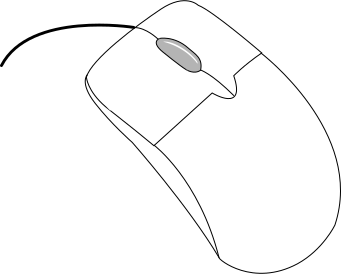 Please ensure that you have a mouse to complete this test. The results of this test will not be accurate if you use a different device.
